
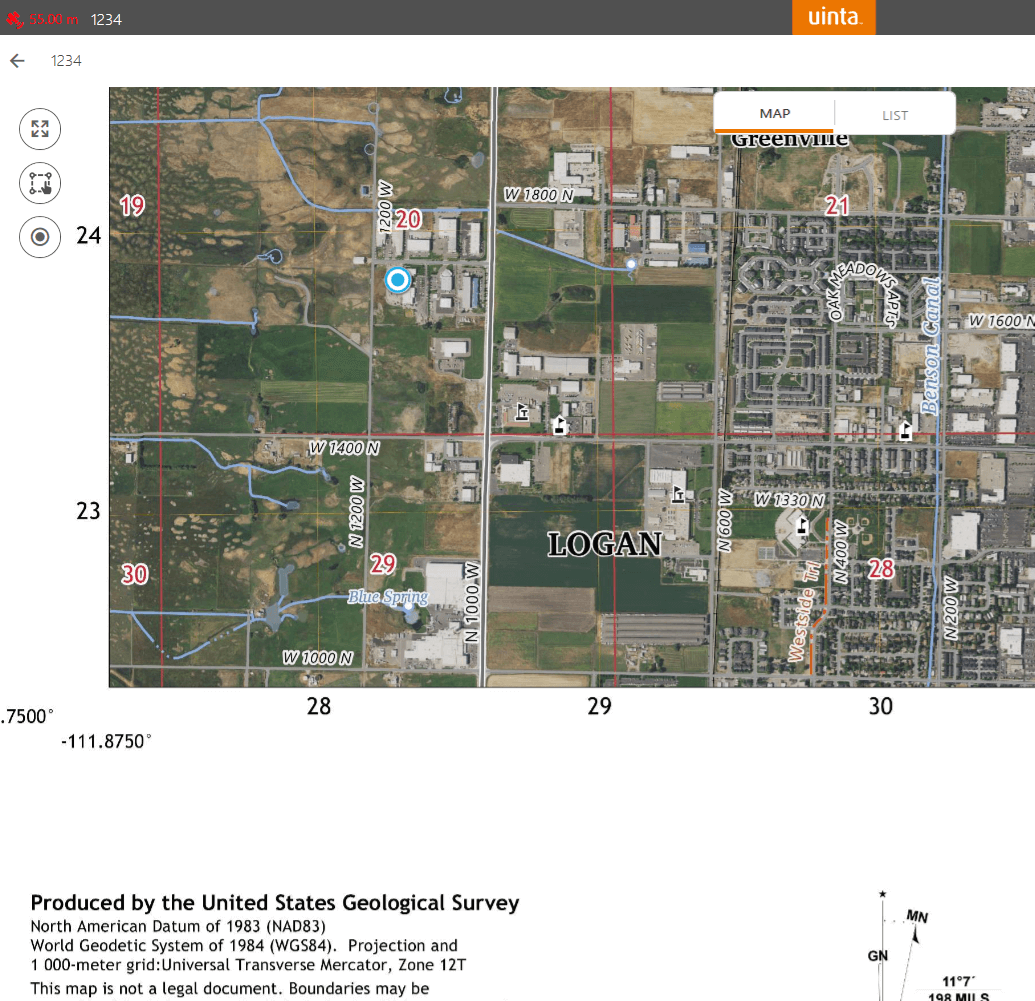
One of the most versatile features in Uinta is the ability to add reference layers to your mapping projects. Reference layers are non-editable layers that provide valuable context in the field, helping you see your work in relation to existing boundaries, landmarks, or imagery. Many users already download background imagery for offline use, but did you know you can download and import official topo and satellite imagery maps directly from the U.S. Geological Survey (USGS) website?
USGS topo and imagery maps are among the most recognized map sources in the United States but historically have only been available as paper maps. Now, USGS maps can be viewed as a digital reference layer, allowing you to see your current position as you move through the field. By visiting https://ngmdb.usgs.gov/topoview/, you can browse, view, and download maps for any area in the United States. Whether you need topographic maps or historical imagery, these maps can be exported as a GeoTIFF file and then brought into Uinta as reference layers.
Once a map is imported, Uinta will display your live location as you move through the field over the map! You can even import multiple maps and turn them all on at once, which is helpful if your project area overlaps more than one map sheet. Because the maps are downloaded directly to your device, you’ll still see your position and data in Uinta even when working in remote areas without service and completely offline.
Another great benefit is that once a reference layer is added to a project it can be shared across devices whether you’re using Uinta on Windows™, Android™, or Apple® iOS. This allows your entire team to benefit from the same reliable, offline-capable maps for various projects.
If you haven’t tried it yet, see what’s available at https://ngmdb.usgs.gov/topoview/ and discover how bringing your own maps into Uinta can extend its capabilities and make your job easier!
See detailed instructions to use USGS maps as reference layers in Uinta here: https://junipersys.com/support/article/17124

